Android v4.0 is live
Your wholesemester, inone tap.
Attendance, assignments, lectures, results and your timetable, pulled from the official BU portals into one fast, native app. Built by students, for students.
- Free forever
- No ads
- 20 MB download
- 9
Portal tools in one app
- 8
Themes, 4 dark and 4 light
- 0
Ads, trackers or middlemen
- 4h
Heads-up before every class
01Inside the app
Nine screens. Zero portal pain.
01 / 09
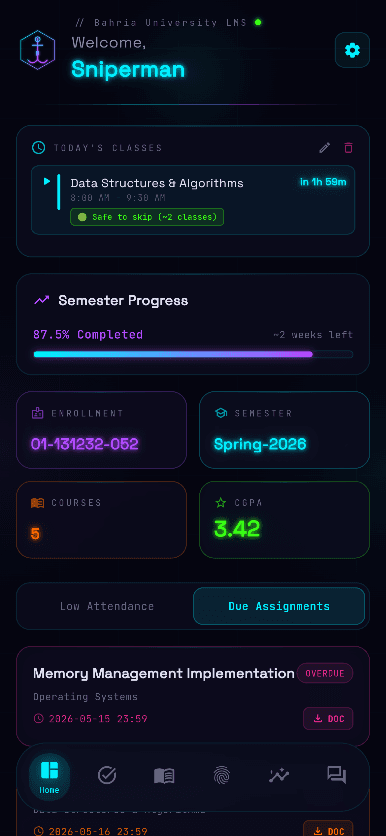
Unified Dashboard
Your current or next class, semester progress, and the stats that matter: enrollment, CGPA, semester and courses.
- Enrollment & CGPA
- Low attendance alerts
- Quick document downloads
02Everything inside
The portal, rebuilt for your pocket.
- 01See screen
Unified Dashboard
Your current or next class, semester progress, and the stats that matter: enrollment, CGPA, semester and courses.
- Enrollment & CGPA
- Low attendance alerts
- Quick document downloads
- 02See screen
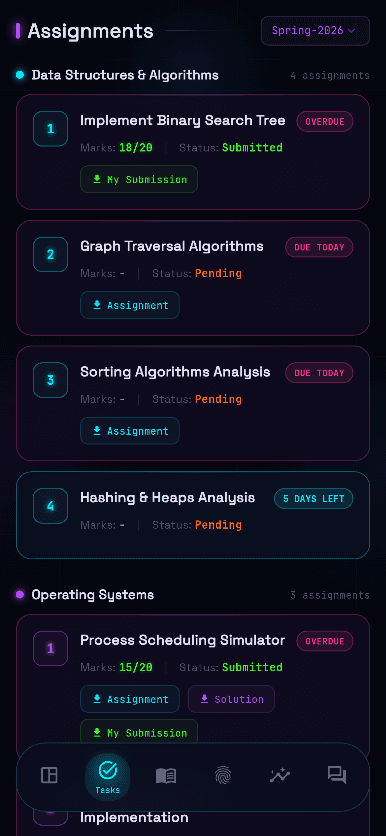
Smart Assignments
Every assignment grouped by course, with clear deadlines and submission status at a glance.
- Course-grouped tasks
- Deadline tracking
- Submission status
- 03See screen
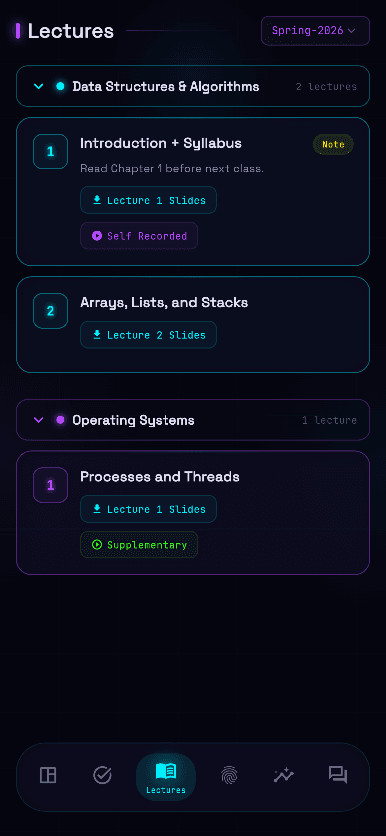
One-Tap Lectures
All your BU course material in one place, organised by week so you find this week's slides in seconds.
- One-tap access
- Organised by week
- All course files
- 04See screen
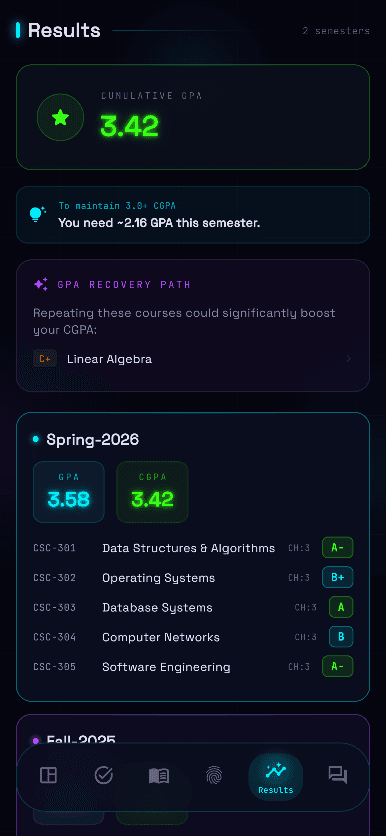
Result History
Your full transcript with a semester-by-semester breakdown, GPA trends and a target CGPA calculator.
- Full transcript
- GPA trends
- Target CGPA calculator
- 05See screen
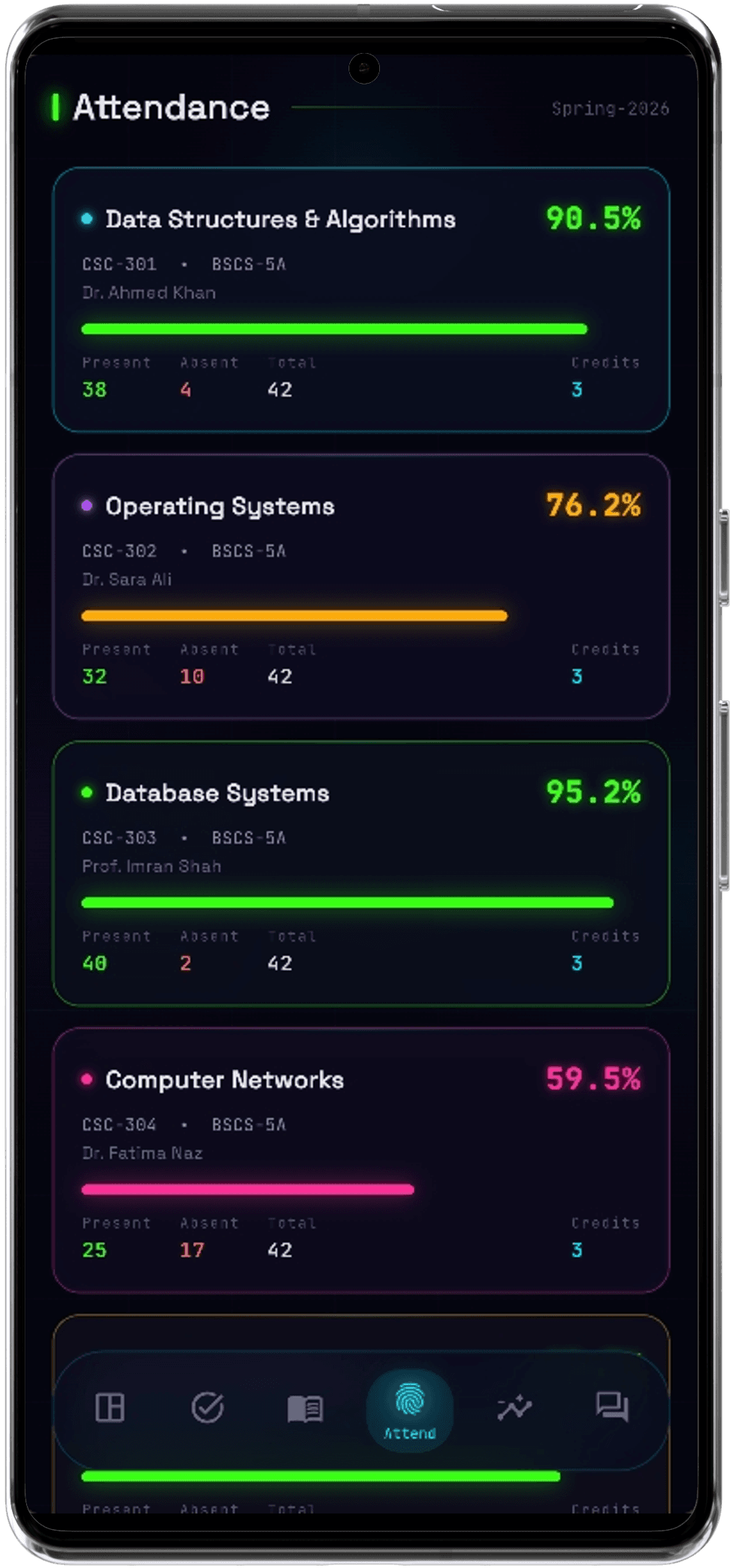
Attendance Tracker
Attendance across every course, with clear warnings before you drop below the line.
- All-course tracking
- Low attendance warnings
- Upcoming classes
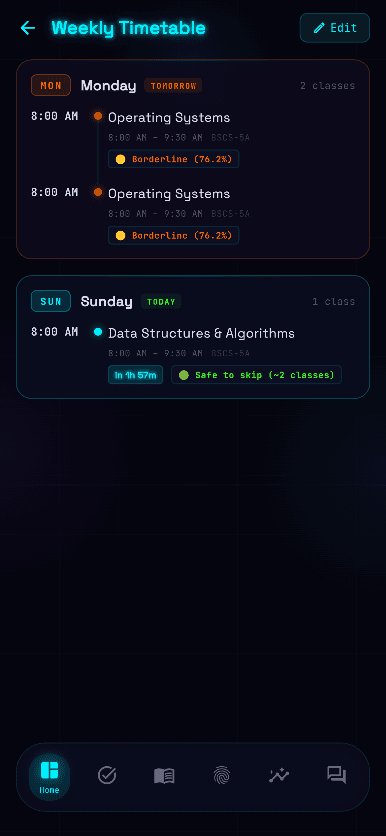
- 06See screen
Smart Timetable
Add, view and edit your weekly schedule, with reminders four hours ahead and again when class starts.
- Weekly schedule
- 4-hour alerts
- Class start reminders
- 07See screen
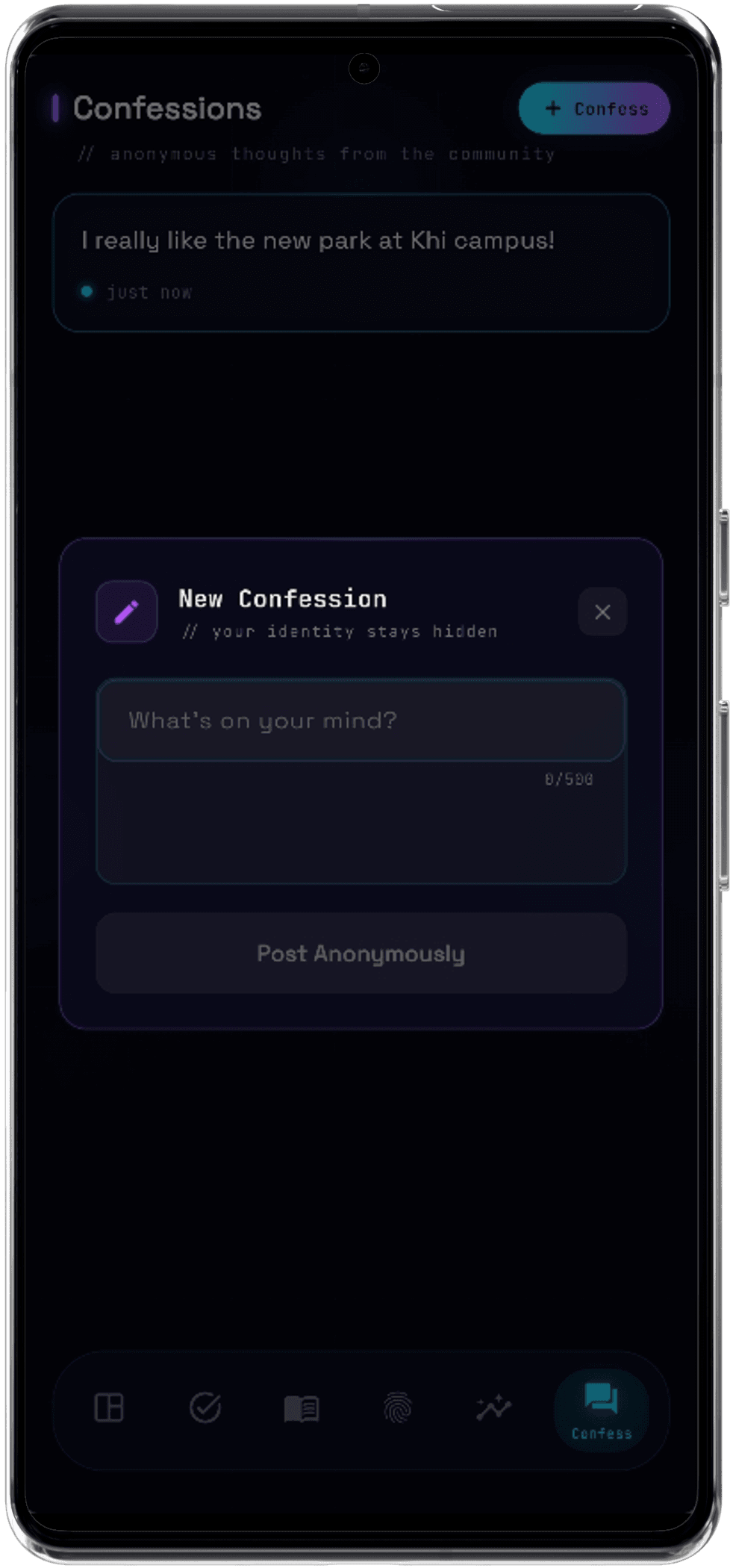
Campus Vibe
Share and browse anonymous campus confessions. The BU community, in one feed.
- Anonymous posts
- BU community feed
- Student connection
- 08See screen
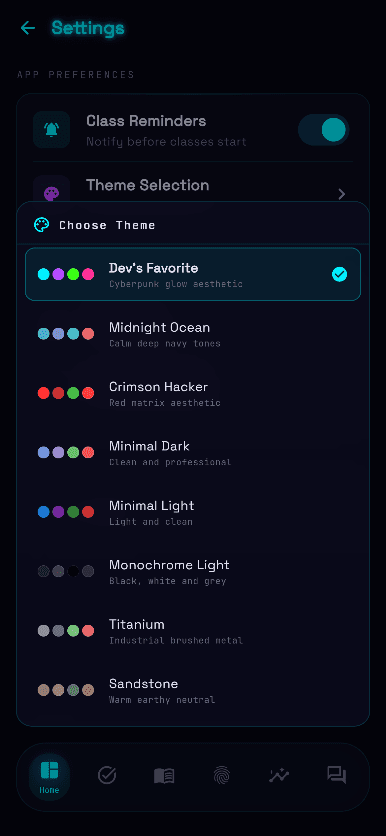
Personal Themes
Make it yours with eight hand-tuned themes: four dark, four light.
- 8 themes
- 4 dark
- 4 light
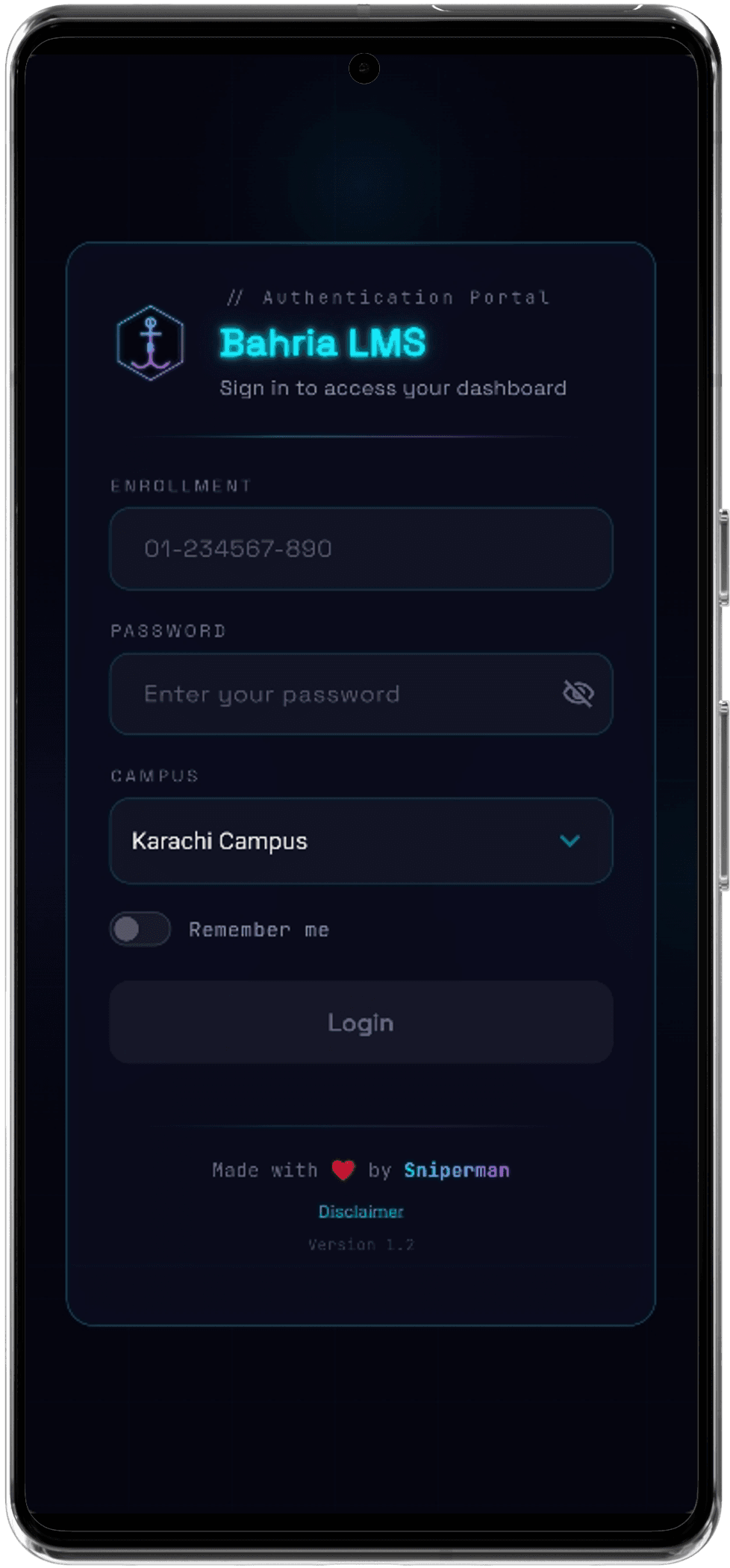
- 09See screen
Secure Login
Single sign-on with your BU credentials. Sign in once and stay signed in.
- BU single sign-on
- Remember me
- No re-entry
03Why it's different
Private by design. Light by default.
Privacy first
Your credentials go straight to the official Bahria University servers. No middleman server, no tracking, nothing stored by us.
Student built
Designed by fellow BU students who know the struggle of the official portal on a phone, between classes, on campus Wi-Fi.
Zero bloat
No ads, no spam notifications, no nonsense. Only the tools you need to get through the semester.
04Install
Up and running in a minute.
- 01
Download the APK
Tap Download on your phone, or scan the QR code below from a laptop.
- 02
Allow the install
Open the file. If Android asks, allow installs from your browser for this one app.
- 03
Sign in with BU
Use your usual Bahria University CMS credentials. That's it, your semester is ready.
05Questions
Good to know.
Is this the official Bahria University app?
No. BU LMS Mobile is an independent project made by students. It is not affiliated with or endorsed by Bahria University. It reads the same official LMS and CMS portals you already use.
Where do my username and password go?
Straight to the official Bahria University servers, the same as signing in on the website. There is no middleman server and nothing is collected or tracked.
Is it free?
Yes. Free to download and use, with no ads and no in-app purchases.
Is there an iPhone version?
Not yet. The app is Android only for now.
Why does Android warn me when I install it?
Android shows that warning for every app installed outside the Play Store. Only download the APK from this website, then allow the install for that one file.
How do I update to a new version?
Download the latest APK from this page and install it over the old one. Your settings stay in place.
06 · Download
Upgrade your campus life.
Grab the APK and start using the smarter BU LMS today. Simple install, built for speed.
Android · v4.0 · 20 MB
Scan to download